
Web Server & API
The device serves its own dashboard. Type its IP address into any browser on your home network and it’s there — no app to install, nothing to sign into, and it keeps working if your internet goes down.
This page describes what you’ll find on it, and the data feed underneath for anyone who wants to pull the numbers into their own scripts.
The pages you get
Section titled “The pages you get”| Page | What it’s for |
|---|---|
| Dashboard | The main view. A coloured tile per panel, grouped by string, so an underperforming panel stands out at a glance. Click any tile for that panel’s detail and history. |
| History | Charts of power and energy over the day, week, month or year. Only present if you enabled history storage. |
| Topology | Your array laid out as inverter → string → panel, with live readings. This is where you rename things and enter panel ratings. |
| Node Table | The raw list of every panel the device has ever seen. You can export it to a file as a backup. |
| Tools | Change settings, generate config, reset counters, restart the device. |
| Diagnostics | Is it healthy? Memory, WiFi signal, how many messages it’s missing. |
| CCA Info | What your Tigo box reports about itself. |
| Tigo Cloud | Tigo’s own view of your system, if you’ve connected your account. |
What it looks like
Section titled “What it looks like”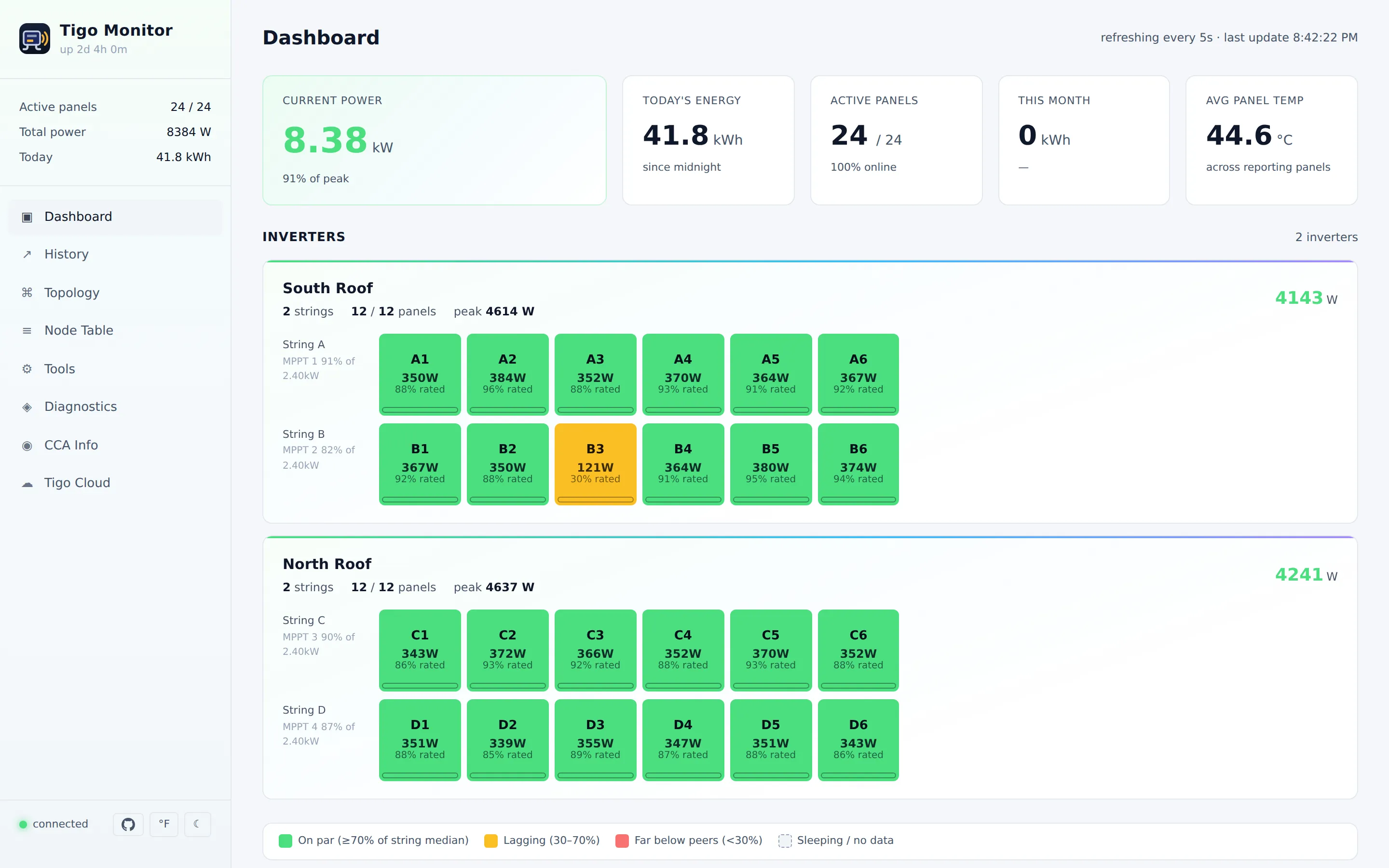
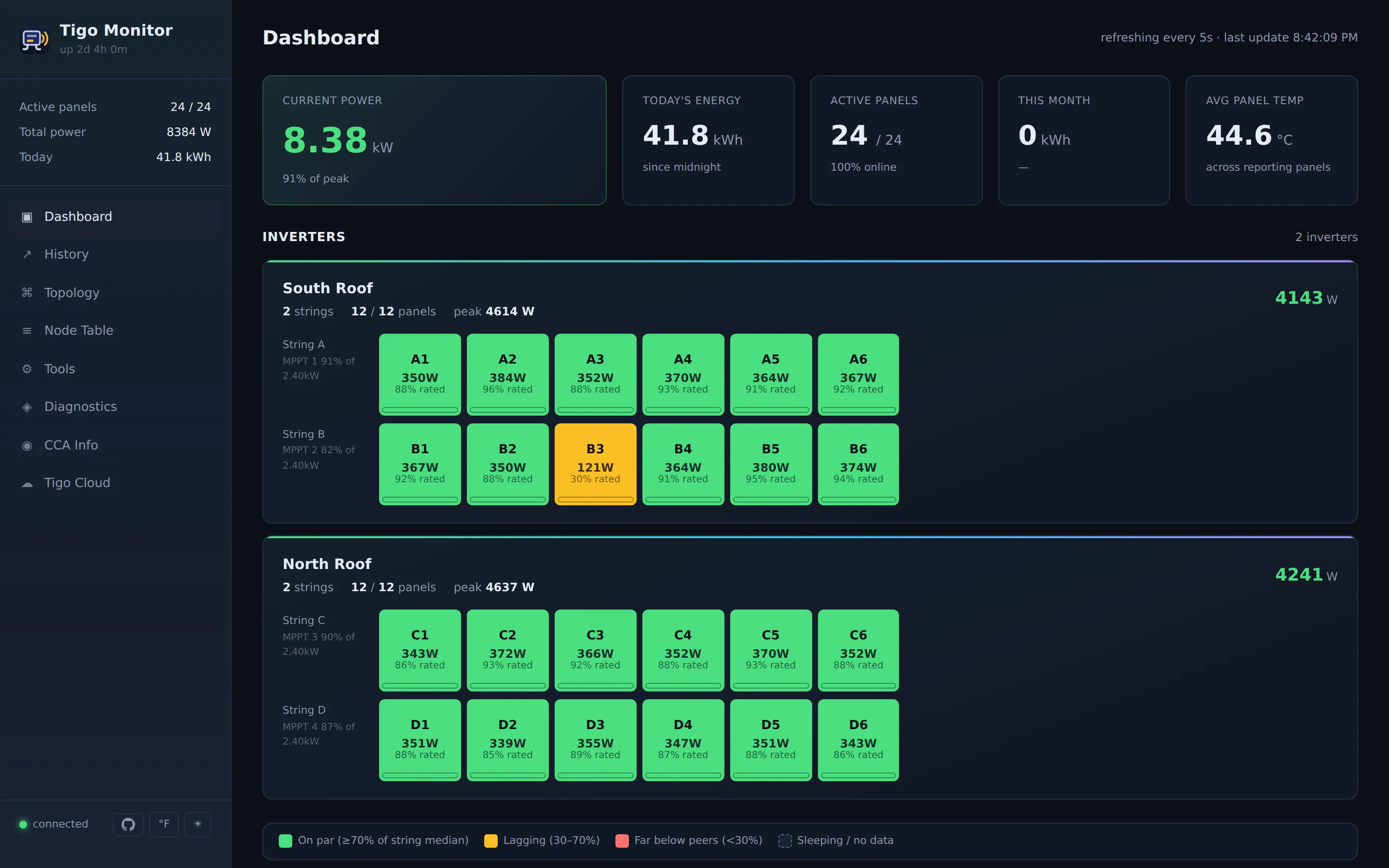
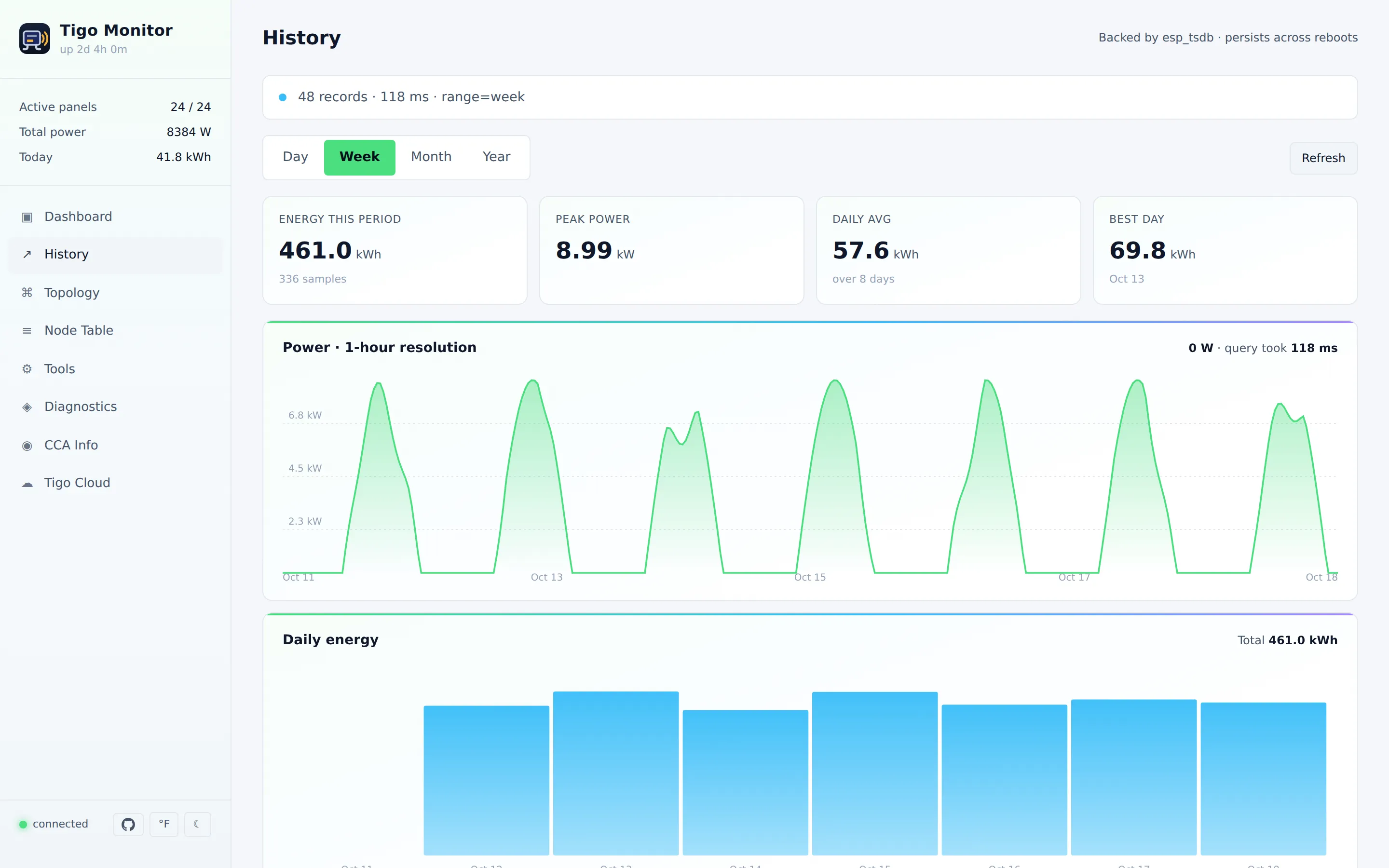
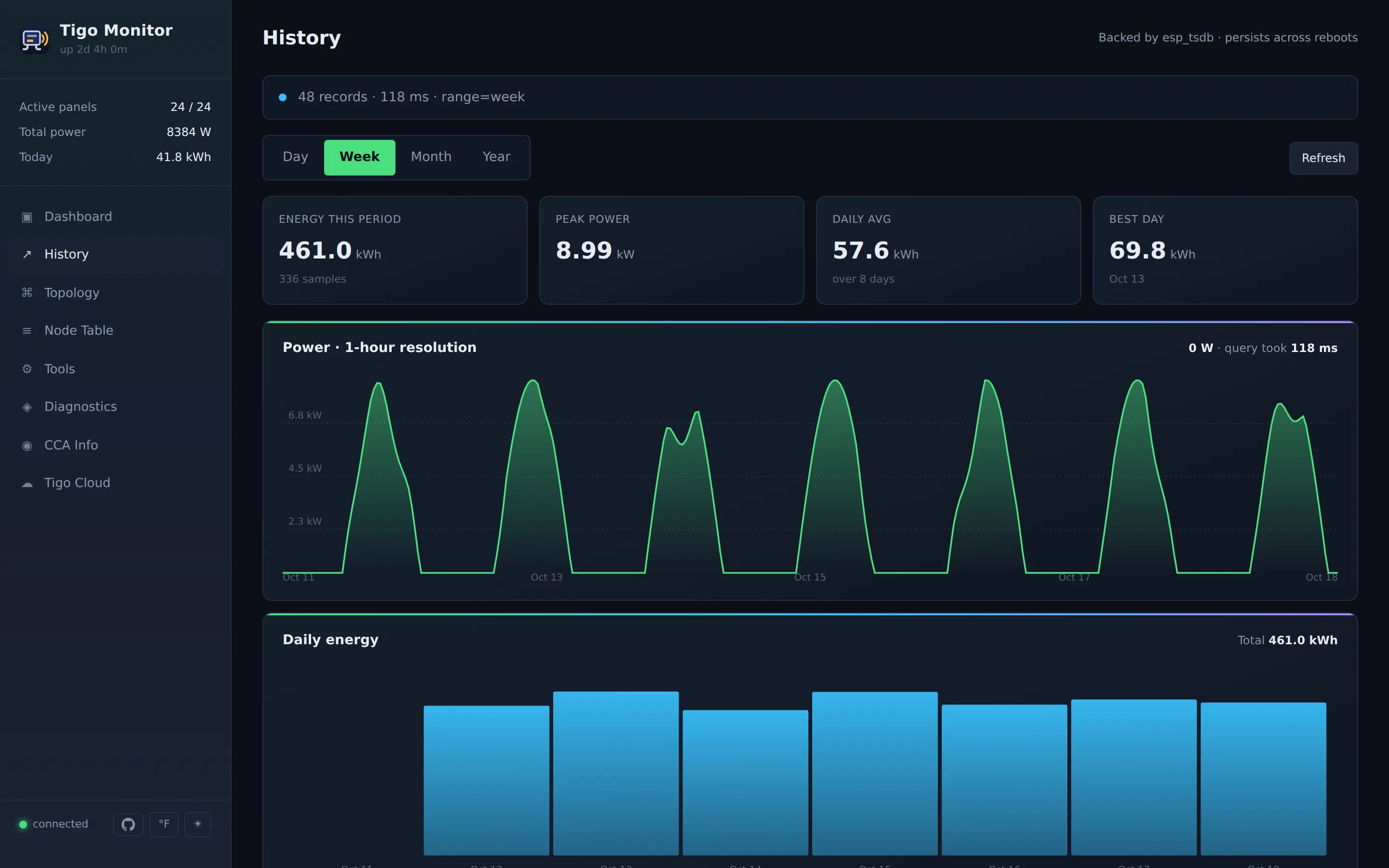
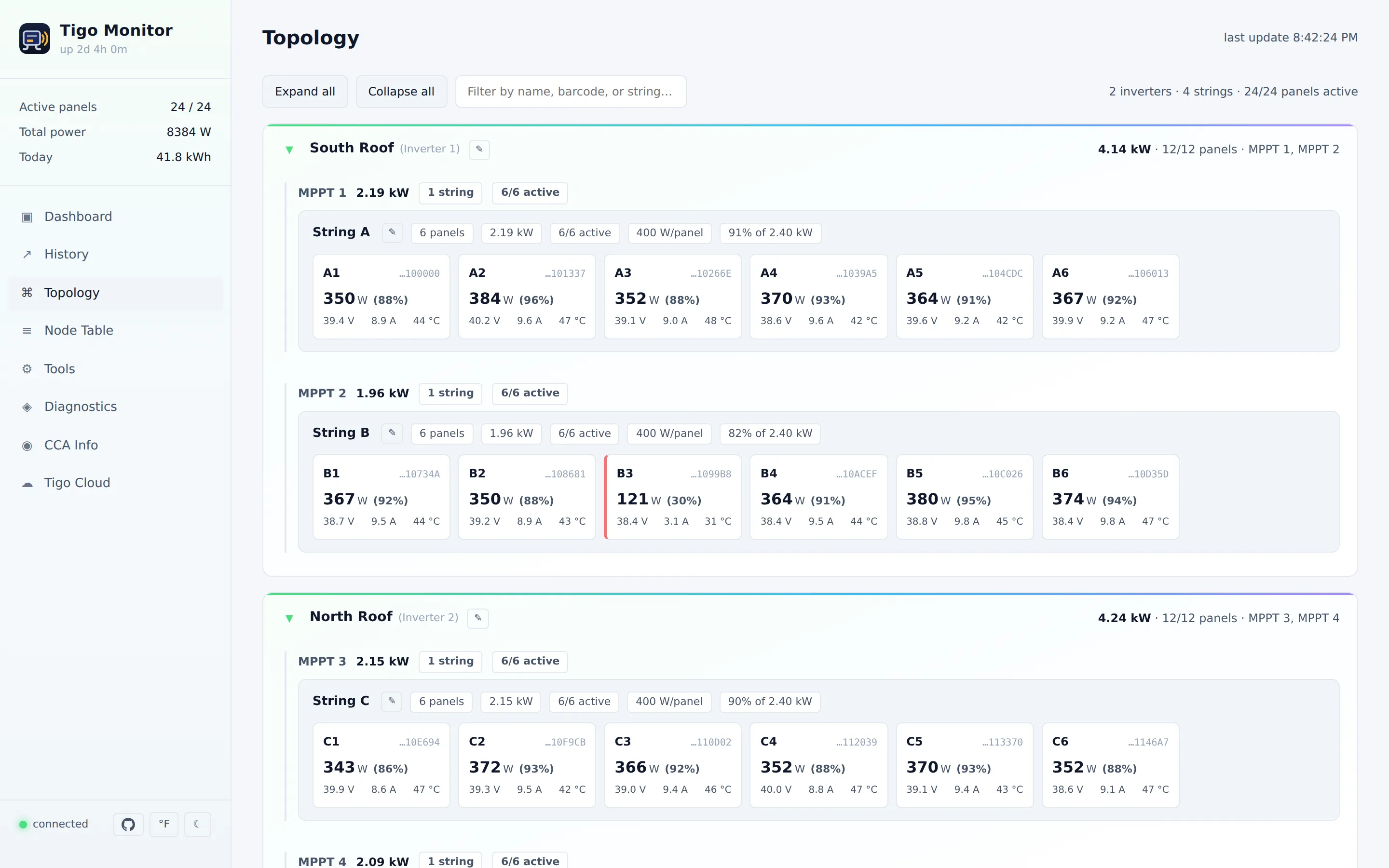
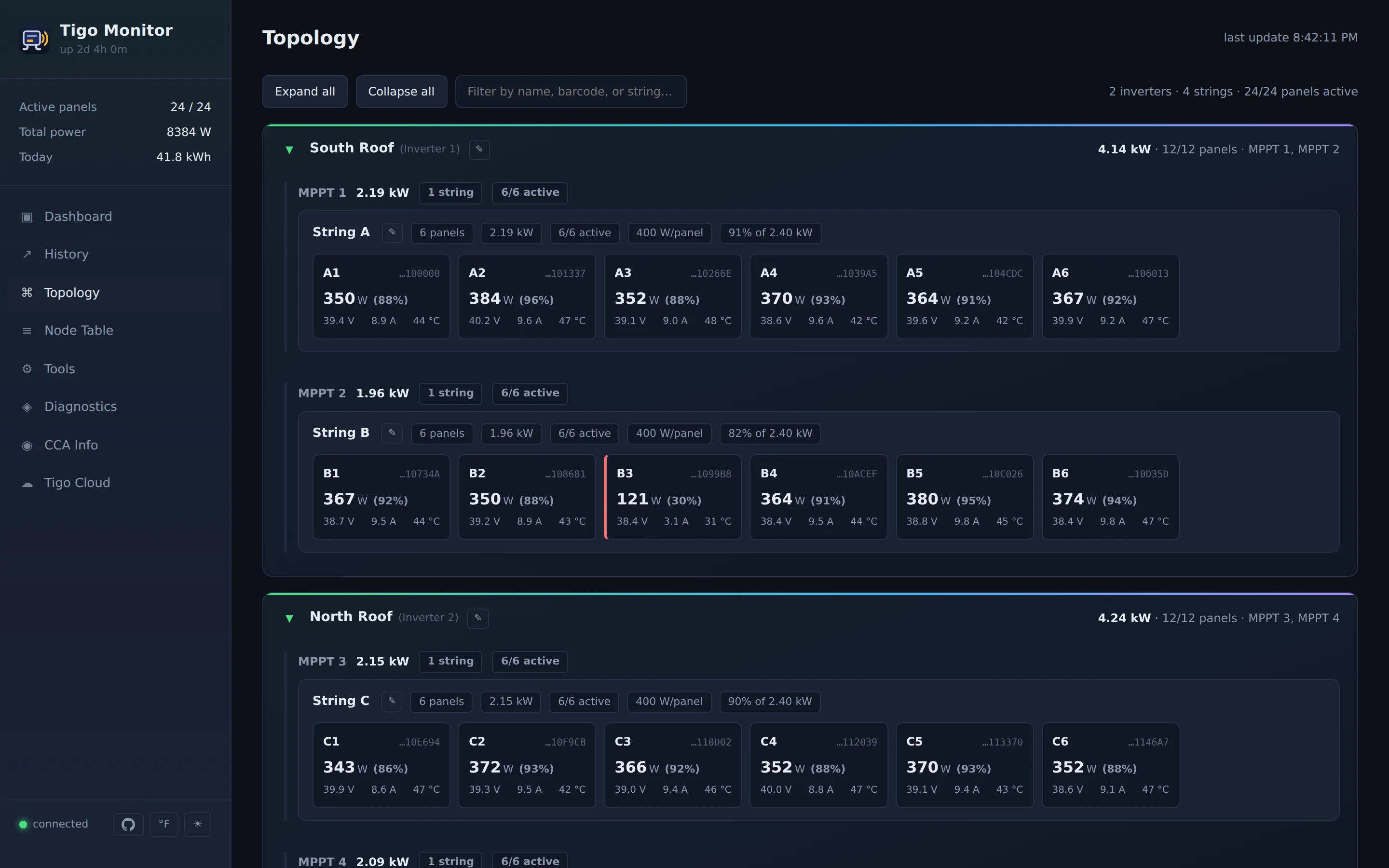
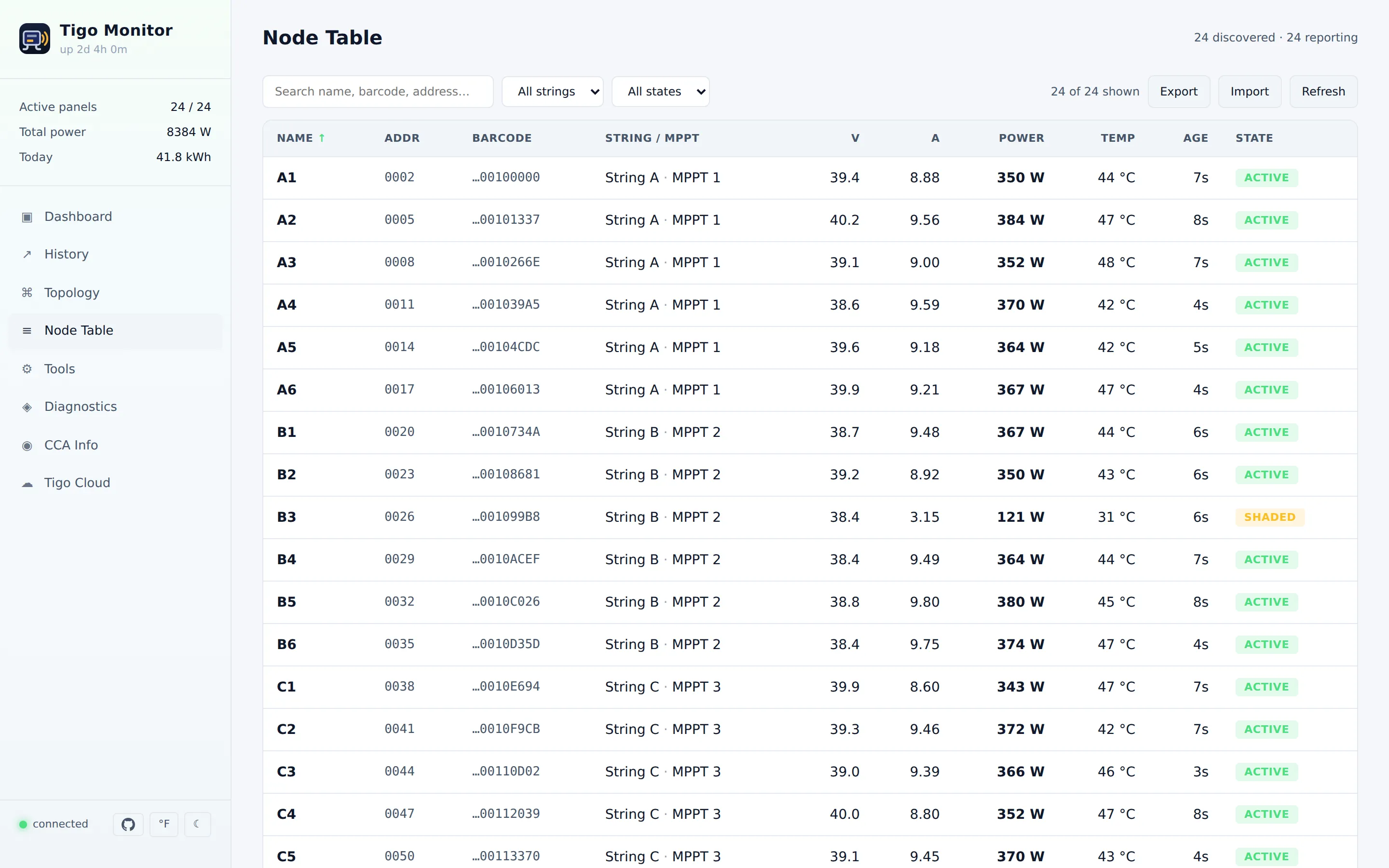
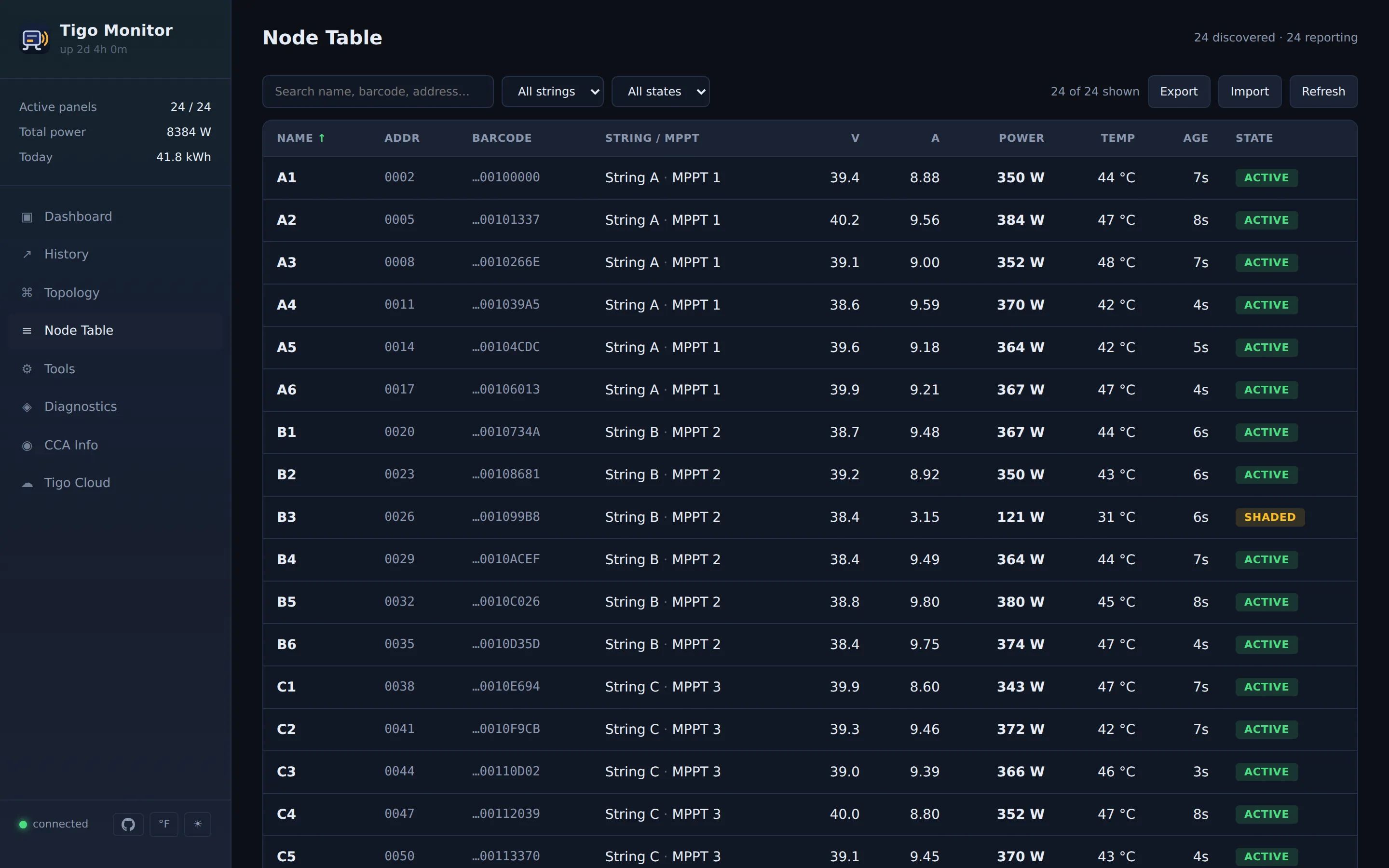
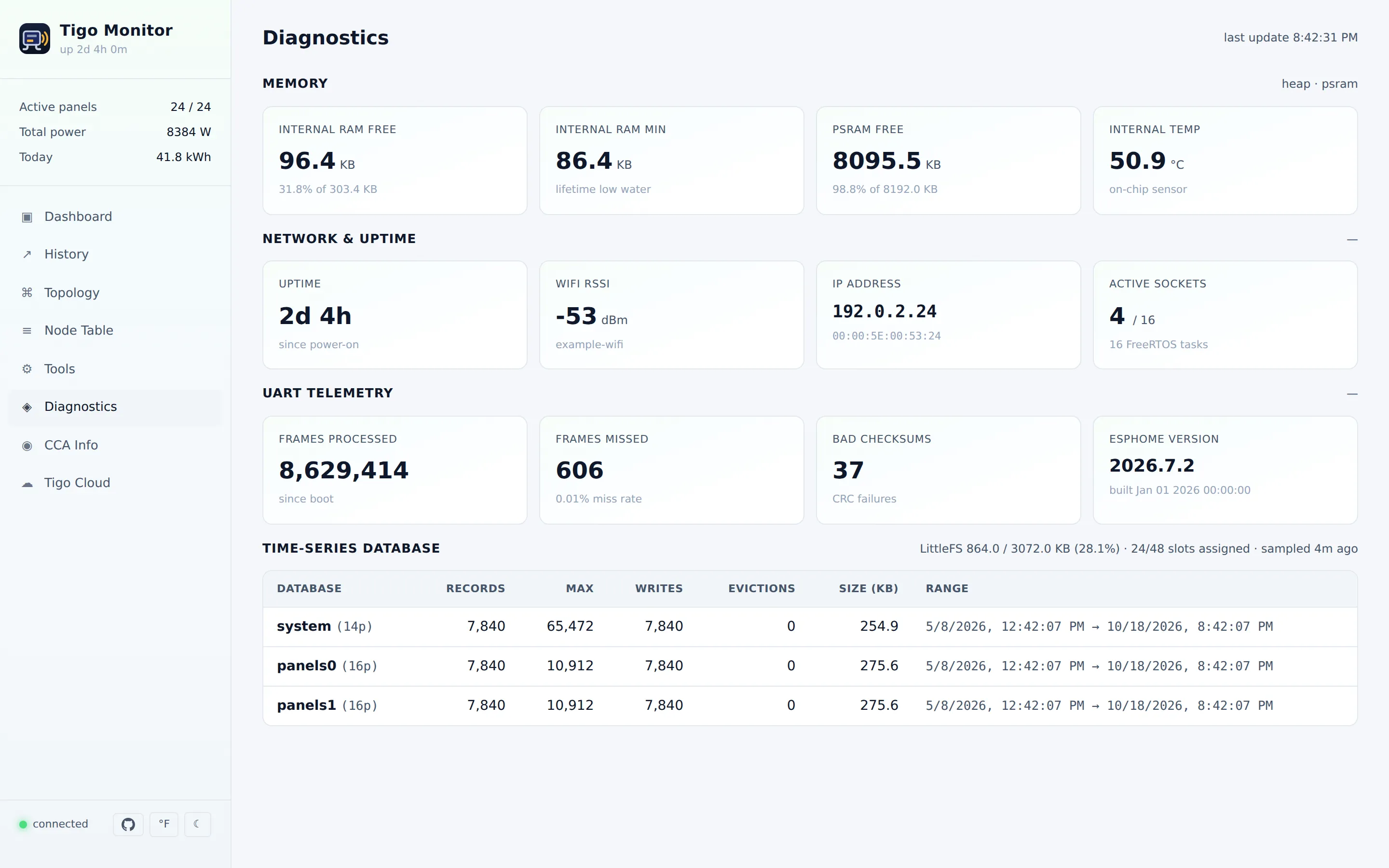
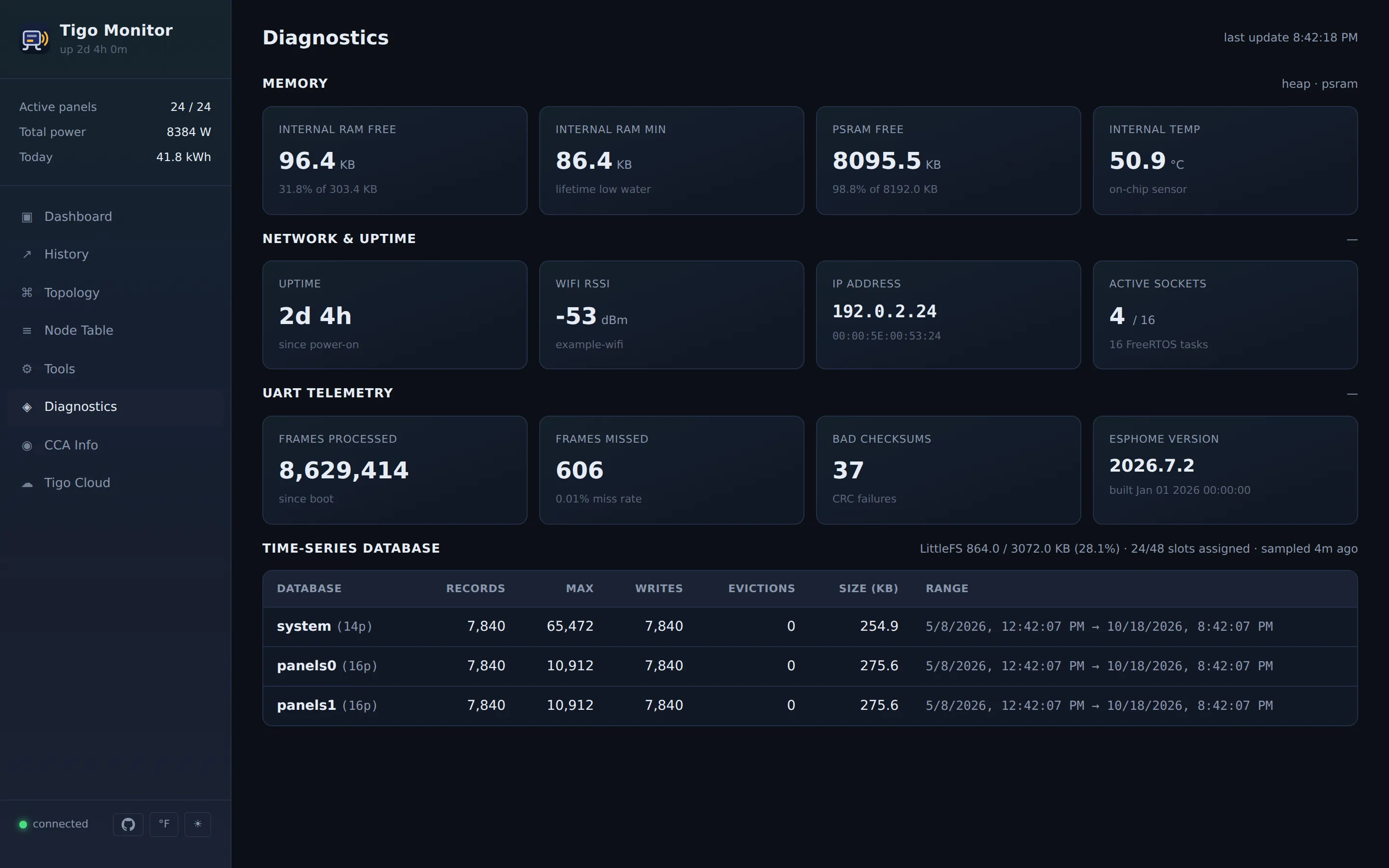
These are generated from the current UI against synthetic data — no real install’s serials, addresses or account details appear in them. They follow this page’s theme, so what you see is what the device will look like for you.
Two things worth knowing
Section titled “Two things worth knowing”- Temperature units and light/dark theme are toggles at the bottom of the sidebar. Both remember your choice.
- Old bookmarks still work. Everything now lives under
/app, but the older addresses (/nodes,/status,/yaml,/cca,/history) redirect to the right place automatically — including through Home Assistant’s Ingress.
Reference
Section titled “Reference”Everything below is detail for people integrating with the device or debugging it. You don’t need any of it to use the dashboard.
View addresses
Section titled “View addresses”| View | URL |
|---|---|
| Dashboard | /app#dashboard |
| History | /app#history |
| Topology | /app#topology |
| Node Table | /app#nodes |
| Tools | /app#tools |
| Diagnostics | /app#diagnostics |
| CCA Info | /app#cca |
| Tigo Cloud | /app#cloudstatus (only when cloud_import is set) |
/, /nodes, /status, /yaml, /cca, /history all 302 → /app#<view>. The redirects use a relative Location so they work standalone and under HA Ingress without any extra configuration.
Sidebar
Section titled “Sidebar”The sidebar’s footer carries:
- GitHub link → opens
github.com/RAR/esphome-tigomonitorin a new tab. - °C / °F toggle — persists via
localStorage['tempUnit'](same key the legacy page used). The button shows the unit you’ll get if you click. Active view re-renders immediately. - Theme toggle — light/dark, persists via
localStorage['tigoTheme'].
When cloud_import is set and a Tigo cloud token is connected, a cloud status box also appears in the sidebar with at-a-glance severity dots for the CCA and panels (refreshed ~10 min while the UI is open); clicking it opens the Tigo Cloud view.
Naming overrides
Section titled “Naming overrides”Inverters and strings can be renamed live from the Topology view (✎ next to each label). The override is stored in NVS via ESPHome’s global_preferences API and is keyed by canonical name (the YAML inverter name or CCA string label). YAML stays the source of truth for identity — overrides are purely display labels and are used wherever those names appear: Topology, Dashboard inverter cards, Dashboard alert text, embedded strings inside /api/inverters.
Empty override = falls back to canonical.
Per-string panel nameplate
Section titled “Per-string panel nameplate”Each string can carry a per-panel nameplate watts value (uint16, 0 = unset). Set via the click-to-edit pill in Topology. When set:
- Topology and Dashboard tiles display “350 W (88%)” alongside watts.
- String roll-ups display “Y% of Z kW” (output vs total nameplate).
panelClassswitches to rating-vs-power health classification (<30%bad,<70%warn, else good) with a “string sleeping” check that flips the whole row to dead when total output is<5%of total nameplate (so dawn doesn’t paint everything red).
Falls back to median-vs-peer behavior when no rating is set.
Heatmap
Section titled “Heatmap”The dashboard uses fixed-size colored tiles per panel grouped by string. Color buckets match the legend strip (good ≥70% of reference, warn ≥30%, bad else, dead = string sleeping or telemetry stale). Each tile shows panel name + watts; hover scales the tile and reveals a tooltip with the full reading and “% of rated” if available.
Panel detail modal
Section titled “Panel detail modal”Click any heat tile on a desktop viewport (>768 px) to open a modal showing:
- Live readings — Power in, Voltage in, Current in, Voltage out, Temperature, Efficiency, Duty cycle, RSSI. Re-painted on the dashboard’s 5-second refresh tick while the modal stays open.
- Power history chart — fetched from
/api/history/panel?slot=N&range=day|week|month. The active panel’s series is the solid accent line; whenever there are ≥2 peer panels on the same string, the string median is overlaid as a dashed dim line so single-panel anomalies are visually separable from string-wide events (e.g. shading, cloud cover).
Slot lookup uses /api/panels (barcode last-6 → tsdb slot) and is cached on first fetch. The modal is hidden via @media (max-width: 768px) on phones — it would be too cramped — so the heat tile cursor reverts to default on those viewports.
Sortable Node Table
Section titled “Sortable Node Table”Every column header on the Nodes view is clickable. Click cycles ascending / descending, with an arrow indicator (↑ / ↓) on the active column. Defaults:
- Numeric columns (V, A, Power, Temp) sort descending on first click — “biggest first” is usually what you want.
- Text columns and Age sort ascending.
- State sorts by health order (
ok → warn → bad → stale), so reversing surfaces problems first.
Filters (search, string, state) are applied first; sort sees the filtered set.
Device Configuration (Tools view)
Section titled “Device Configuration (Tools view)”A handful of runtime knobs can be edited in the UI and persisted to the ESP32 (NVS) without reflashing: power_calibration (applied immediately — every power calc reads it live), night_mode_timeout, reset_at_midnight, sync_cca_on_startup, and cca_ip. The YAML values remain the defaults: at boot the codegen setters populate the members, then any stored overrides are overlaid on top. A field shows a Revert button (enabled only when the live value differs from the default) that clears the override and restores the YAML default — after which editing the YAML applies again. Backed by GET/POST /api/config. Structural settings (inverter layout, device count, ports, IDs) and auth (api_token/web_*) stay in YAML — the latter because NVS is plaintext-at-rest.
CCA over BLE
Section titled “CCA over BLE”When cca_source: ble (or auto) and a ble_client_id are set, tigo_server is the BLE client and talks the CCA’s mobile_api over Bluetooth — so the CCA Info page works on firmware (4.0.4+) that locks the local HTTP API. The link is opened on demand (connect → command → auto-disconnect) so the Tigo phone app can still connect when idle. The CCA Info page then also offers:
- CCA Connection — a Bluetooth search that finds the CCA by its Tigo
04:C0:5BMAC OUI and lets you target it without hardcoding the MAC in YAML. The chosen MAC is saved to NVS and applied live viaBLEClient::set_address(), overriding the compile-timeble_client:MAC across reboots; Revert restores the YAML MAC. (tigo_serverregisters as anesp32_ble_trackeradvertisement listener at codegen time so the scan callback is dispatched.) - Network status — Ethernet/WiFi cards from the CCA’s cached
NETWORK_INFO. - WiFi configuration — scan / join / clear the CCA’s WiFi over BLE.
- Topology discovery — kick the CCA’s optimizer/gateway rescan and poll progress.
Tigo Cloud (cloud_import)
Section titled “Tigo Cloud (cloud_import)”Recovers the panel names + string/MPPT/inverter layout from Tigo’s cloud (mapi.tigoenergy.com, the API the mobile app uses) when the CCA’s local HTTP is locked. Credentials are entered in the Configure modal; only the resulting bearer token is persisted to NVS, never the password. The Tigo Cloud page also surfaces Tigo’s own per-equipment health, status, and history (statusCode 0=ok / 1=warning / 2=error). HTTPS is verified against the mbedTLS certificate bundle (enabled automatically when cloud_import is set). Layout import is a button on the Topology page.
API endpoints
Section titled “API endpoints”Conventions for the tables below:
- Method — everything under Read is
GET; everything under Write isPOST(the method is shown inline there). - Auth — when
api_tokenis set, every/api/*endpoint requiresAuthorization: Bearer <token>. The sole exception is/api/health, which never requires auth. HTML pages use HTTP Basic instead (see Authentication). - Response — JSON unless noted.
| Endpoint | Returns |
|---|---|
/api/health |
{status, uptime, heap_free, heap_min_free} — no auth |
/api/status |
ESP32 status + UART counters + RSSI + memory |
/api/overview |
System aggregates (total_power, total_energy_in, active_devices, …) |
/api/devices |
Per-device live telemetry (power_in, voltage_in, current, temperature, data_age_ms, …) |
/api/strings |
Flat per-string aggregates incl. display_label, panel_rating_w |
/api/inverters |
Hierarchical inverter rollups with embedded strings (each carries display_label, panel_rating_w) and inverter display_name |
/api/nodes |
Node table with CCA metadata |
/api/cca |
CCA connection state + device_info (encoded JSON string from CCA) |
/api/yaml?sensors=…&hub_sensors=…&grouping=panel|mppt|inverter|none |
Generated YAML config (Tools view). grouping (default none) emits an esphome.devices: block and propagates device_id: to each child sensor at the chosen granularity |
/api/tsdb/stats |
LittleFS partition + per-DB record counts (only when esp_tsdb is compiled in) |
/api/history/power?range=day|week|month|year |
System power/energy time series |
/api/history/panel?slot=N&range=… |
Single-panel power time series |
/api/panels |
Slot map: array of {slot, barcode (last 6 chars), label?, mppt?, string?} keyed off the TSDB panel-slot table; used by the panel detail modal to find the right slot for a given heat tile |
/api/energy/history |
Daily energy history (RAM ring buffer, kept alongside TSDB) |
/api/config |
Runtime config values + YAML defaults + overridden flags (Device Configuration) |
/api/cca/ble-scan?rescan=1 |
Discovered Tigo CCAs (04:C0:5B OUI) with MAC/RSSI/name + active/YAML MAC (BLE builds) |
/api/cca/network?cmd=… |
Cached CCA network read ({age_s, result}), no BLE side effect (BLE builds) |
/api/cca/discovery |
Cached CCA topology-discovery status ({age_s, status}), no BLE side effect (BLE builds) |
/api/cloud/status |
Cloud token state {configured, email, expires, system_id} (cloud_import) |
/api/cloud/health |
Tigo per-equipment-type warning/error summary (cloud_import) |
/api/cloud/equipment?view=latest|history |
Tigo per-equipment status feed (cloud_import) |
| Endpoint | Payload | Behaviour |
|---|---|---|
POST /api/restart |
none | Calls App.safe_reboot() after sending response |
POST /api/reset_peak_power |
none | Clears per-device peak-power high-water marks |
POST /api/reset_node_table |
none | Drops the persisted node table; devices repopulate from telemetry |
POST /api/nodes/import |
JSON {nodes:[…]} |
Replaces the node table. See Node table format |
POST /api/inverters/rename |
{name, display_name} |
Set inverter display name. Empty display_name clears the override |
POST /api/strings/rename |
{label, display_label} |
Set string display name. Empty clears the override |
POST /api/strings/rating |
{label, rating_w} |
Set per-panel nameplate watts. rating_w=0 clears |
POST /api/cca/refresh |
none | Triggers a fresh CCA query |
POST /api/backlight |
state=on|off|toggle |
Backlight control (units with backlight wired) |
POST /api/config |
{key,value} or {reset:key} |
Set + persist a runtime knob, or revert it to the YAML default |
POST /api/cca/ble-mac |
{mac} or {reset:true} |
Target + persist a CCA BLE MAC, or revert to the YAML MAC (BLE builds) |
POST /api/cca/network/poll?cmd=… |
none | Trigger an allowlisted CCA network read (WiFi scan) over BLE |
POST /api/cca/network/wifi-connect |
{nid,pwd} |
Join the CCA to a WiFi network over BLE |
POST /api/cca/network/wifi-clear |
none | Wipe the CCA’s WiFi credentials over BLE (destructive) |
POST /api/cca/discovery/start |
none | Kick the CCA’s optimizer/gateway rescan (START_DISCOVERY) |
POST /api/cca/discovery/poll |
none | Poll DISCOVERY_STATUS and cache it |
POST /api/cca/data-export |
none | Ask the CCA to push its data to Tigo’s cloud now |
POST /api/cloud/login |
{email,password} |
Log into Tigo’s cloud; persists only the bearer token (cloud_import) |
POST /api/cloud/import |
none | Fetch the system layout from Tigo’s cloud and apply it to the node table |
Node table format
Section titled “Node table format”GET /api/nodes returns this shape and POST /api/nodes/import accepts it, so
the normal workflow is Export → edit → Import. Only addr and long_address
are required; a node missing either is skipped.
{ "nodes": [ { "addr": "0004", "long_address": "04C05B4000A1B2C3", "sensor_index": 5, "checksum": "R", "cca_label": "A1", "cca_mppt": "MPPT 1", "cca_string": "A", "cca_channel": "", "cca_validated": false } ]}| Field | Meaning |
|---|---|
addr |
Short bus address, as seen on the UART |
long_address |
16-char radio MAC — the stable identity |
sensor_index |
Which tigo_monitor sensor slot this panel publishes to |
checksum |
Frame checksum character, informational |
cca_label |
Panel display name |
cca_mppt |
The MPPT label, e.g. MPPT 1 — see below |
cca_string |
The string within that MPPT |
cca_validated |
Whether this node was matched against a live CCA. Cosmetic — grouping does not depend on it, and a hand-built table is authoritative at false |
Old backups after the addresses change
Section titled “Old backups after the addresses change”addr is handed out by the gateway when it commissions the system, and it can
change: a rediscovery, or Tigo re-commissioning the CCA, can give every panel a
new short address at once. long_address never changes — it is the panel’s
barcode — so the labels in the node table follow it:
- When the gateway announces a panel at a new address, its labels move with it to that address, rather than staying on the old address and ending up on whichever panel inherited it.
- An import places each entry by
long_addresswhen the gateway has confirmed where that barcode is now. That is usually within a couple of minutes of boot. Theaddrin the file is only used for panels that have not been heard from yet.
Before this (#74), restoring a backup taken before a renumbering put every label back on the panel’s old address. If you are on an older firmware, run Cloud Import instead, which matches by barcode, and export a fresh backup afterwards.
An import is refused if the file has more panels than number_of_devices —
the table cannot hold them, and the extra entries used to disappear at the next
reboot. Raise number_of_devices to at least the number of panels in the file,
including any listed for panels that are not installed yet.
The optional top-level inverters and strings arrays carry display-name and
nameplate overrides only. They are keyed on name/display_name and
label/display_label/panel_rating_w respectively; entries with neither
override are ignored. Groups themselves always come from the nodes.
Example
Section titled “Example”curl http://192.168.1.100/api/overview{ "total_power": 4523.5, "total_current": 12.3, "total_energy_in": 45.6, "active_devices": 20, "max_devices": 24, "avg_efficiency": 96.2, "avg_temperature": 42.5}Renaming an inverter:
curl -X POST http://192.168.1.100/api/inverters/rename \ -H 'Content-Type: application/json' \ -d '{"name":"Inverter 1","display_name":"South Roof"}'Setting per-panel nameplate watts on a string:
curl -X POST http://192.168.1.100/api/strings/rating \ -H 'Content-Type: application/json' \ -d '{"label":"String A","rating_w":400}'Authentication
Section titled “Authentication”API (Bearer token)
Section titled “API (Bearer token)”tigo_server: tigo_monitor_id: tigo_hub api_token: "your-secret-token"curl -H "Authorization: Bearer your-secret-token" http://esp32/api/devicesWeb (HTTP Basic)
Section titled “Web (HTTP Basic)”tigo_server: tigo_monitor_id: tigo_hub web_username: "admin" web_password: "secure-password"Browser prompts for credentials. Cached per session.
/api/health is the only endpoint that ignores both auth schemes.
Home Assistant Ingress
Section titled “Home Assistant Ingress”The SPA detects ingress prefixes from window.location.pathname and prepends the detected BASE_PATH to every apiFetch. Legacy-page redirects use a relative Location so they resolve under any URL prefix.
To allow the longer URIs HA Ingress generates, add:
esp32: framework: type: esp-idf sdkconfig_options: CONFIG_HTTPD_MAX_REQ_HDR_LEN: "2048" CONFIG_HTTPD_MAX_URI_LEN: "1024"Compatible with the hass_ingress integration; native HA add-on Ingress also works.
Configuration
Section titled “Configuration”The tigo_server: YAML options — port, api_token, web_username/web_password, backlight, cca_source, ble_client_id, cloud_import — are documented in the Configuration Guide → Tigo Web Server component, which is the canonical reference (including the full ble_client:/esp32_ble setup for CCA-over-Bluetooth and the cloud_import cloud-layout details). This doc covers what the server serves: the SPA views and the JSON API above.
Technical notes
Section titled “Technical notes”- Framework: ESP-IDF native
esp_http_serveron a dedicated 8 KB-stack task. - Max URI handlers:
config.max_uri_handlersis raised to 60 intigo_web_server.cppto fit the CCA/cloud routes (thehttpddefault silently drops handlers past the cap and 404s them — raise it further if you add more). - Connection model: 4 max open sockets, keep-alive disabled, LRU purge enabled — minimizes internal RAM footprint without much real-world impact at typical poll rates.
- HTML assets: served from
R""raw-string constants inweb_assets.h, regenerated fromcomponents/tigo_server/web/*.htmlby the Python codegen step. The API token placeholder (__TIGO_API_TOKEN__) is substituted at runtime so each device’s token stays unique without a recompile. - Memory: response building and HTML buffers go through
PSRAMStringso large pages don’t pressure internal heap. - Persistence: NVS (via
global_preferences) holds inverter/string display-name overrides and panel nameplate ratings. Node table and energy history live in NVS too. TSDB time-series data lives on a separate LittleFS partition — see Saving history to flash.
Browser support
Section titled “Browser support”Modern Chrome / Firefox / Safari, mobile or desktop. No plugins. The SPA degrades gracefully if the API token is set incorrectly (visible “refresh error” in topbar).
See also: Configuration · Home Assistant · Troubleshooting · ← Back to README